
botim
ALGENTO DMCCCommunication
4.37.38K Reviews
- Version
- 4.15.1
- Installs
- 100.00M
- Age Rating
- Everyone
Screenshots
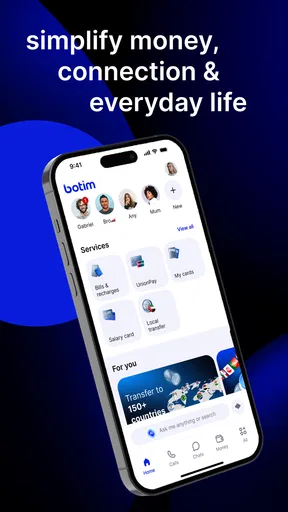
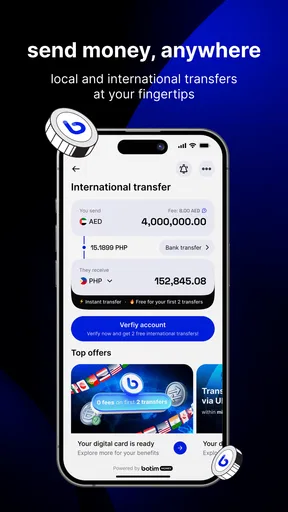
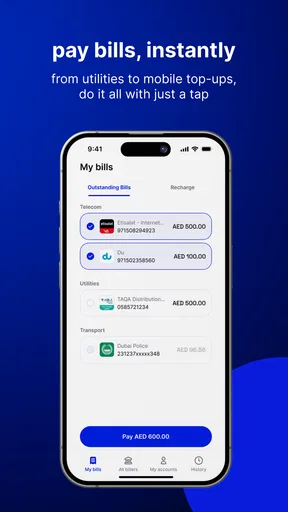
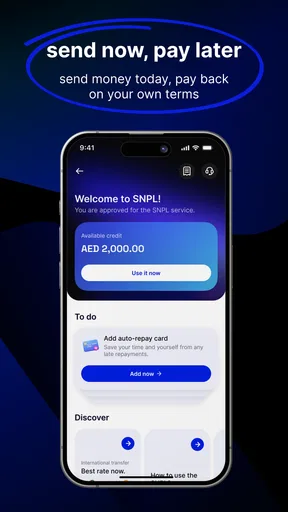


Our Review of botim
 Analysis by Appyee
When I need to reach someone who is far away, the real test for a communication app is not how many buttons it offers; it is whether both people can get from “I’m free now” to a useful conversation without a long setup or a confusing handoff. botim is built around that everyday need, bringing calls and messaging together in one place. It is a free communication app from Algento Cloud Computing Limited, and its appeal is straightforward: it gives you another way to stay in touch with people who are willing to use it too.
Who benefits from adding another communication app?
I would consider it if friends or relatives already use it, or if you need a familiar place for both written messages and calls. That second point matters: when a chat turns into “Can you show me what you mean?”, moving directly to a call is more convenient than switching to a separate calling app and asking everyone to find you there. For someone coordinating with relatives in different places, that can make the conversation feel less fragmented.
It is less compelling if everyone you contact is already settled on another messenger and is reluctant to install anything else. Communication apps depend on the people at the other end, so a polished interface cannot solve the empty-contact-list problem. Before making it your main option, I would check whether the people you speak with most often are willing to meet you there. Otherwise, it may become a second inbox you have to remember to check.
From first message to a useful conversation
In a normal day, I might send a quick text to ask a family member when they will be home, then follow up with a voice message while walking, and make a call later when a longer explanation is easier face to face. Keeping those steps in one communication app is a practical advantage. Text is better for details someone may need to revisit; a voice message is faster when typing is awkward; a call helps when tone or context could be misunderstood.
For a small group, I would use messages to settle the basics before starting a call: agree on a time, tell people what the call is about, and let anyone who cannot join respond in writing. That simple workflow avoids the common problem of launching a group conversation before everyone is ready. Group calling can be useful for a family catch-up or a quick team discussion, but I would not assume that every participant will have equally strong audio or a quiet place to join.
There is also a useful distinction between sending a photo and explaining it live. If a relative needs help understanding a document or a household issue, a picture can give everyone a shared reference; a call can then handle questions that are hard to put into a string of messages. For anything sensitive, I would still think carefully about what I send and who is in the conversation. Encryption is reassuring, but it does not remove the need to choose recipients thoughtfully.
Getting Started with Botim
First off, if you're like me and can't stand the hassle of complicated setups, Botim is right up your alley. The installation process is smooth sailing. Just head over to your app store, hit download, and you're ready to roll. The app is available on both Android and iOS, which is a big plus if you switch devices often.
Setting up your account is a breeze. You can register using your phone number, and within minutes, you'll be connected to your contacts who are already using the app. The app automatically syncs with your contact list, so you don’t have to worry about adding friends manually. Instant connections? Yes, please!
Features That Stand Out
Now, let’s talk about what really makes this app tick. One of the standout features of Botim is its ability to make high-quality video and voice calls. Trust me, I've tried a few apps, and the clarity here is top-notch. Whether you're chatting with someone across the street or on the other side of the globe, the calls are crisp with minimal lag.
The app also supports group calls, which is perfect for those virtual hangouts with friends or family. You can add up to 10 people on a call, making it ideal for both personal and professional use. I’ve used it for a couple of virtual meet-ups, and it does not disappoint.
Another thing I love is the simplicity of the interface. The design is user-friendly, so even if you’re not tech-savvy, you’ll find your way around with ease. Plus, there are no ads cluttering your screen. Just pure, uninterrupted communication. Hallelujah!
Messaging and More
On the messaging front, Botim offers a range of features that make chatting fun and engaging. You can send text messages, photos, and even short video clips. The app also supports voice messages, which is a lifesaver when you’re on the go and can’t type out a long message.
Stickers and emojis add a playful touch to your conversations. And if you’re concerned about privacy, you’ll be pleased to know that Botim offers end-to-end encryption. Your chats are secure, leaving you with one less thing to worry about.
Making messages and calls work together
A practical way to use messaging is to treat it as the place for coordination, not as a substitute for every conversation. I would send a short message first if I am about to call someone unexpectedly, especially when they may be at work or travelling. If the topic needs a longer back-and-forth, text gives both people room to reply when convenient; if written messages start causing confusion, moving to voice or video can settle things faster.
Voice messages are handy when your hands are occupied, but they are not always the best choice for information someone needs to find later. For an address, a time, or a list of items, a concise text is easier to scan than replaying audio. I would use voice notes for tone and explanation, then put the essential detail in writing. That small habit makes a chat more useful without relying on special tools.
Group conversations need a little more care. Before starting a call, I would send a message with the purpose and a suggested time rather than expecting everyone to be available at once. When one person cannot join, they can still contribute by message, which helps prevent a call from becoming the only record of a decision. For work, that makes the app more suitable for informal coordination than for a meeting that requires a formal agenda or a dependable written record.
Connectivity and Performance
In terms of connectivity, Botim performs exceptionally well. I tested it on both Wi-Fi and mobile data, and the results were impressive. The app maintains a stable connection, which is crucial for uninterrupted calls. Even in areas with a slightly weaker signal, it manages to hold its own.
Battery consumption is another aspect where Botim shines. Some apps tend to drain your battery life faster than you can say "low power mode," but Botim is surprisingly efficient. I could have a couple of lengthy calls without my phone turning into a hot brick.
Where a call can lose momentum
Any live call depends on both ends having a suitable connection, a working device, and enough privacy to speak. If the other person is in a noisy place or has a weak signal, video may be less useful than a quick message or voice note. I would not treat a brief interruption as proof that the app is unreliable; the network and surroundings are part of the experience. For an important conversation, keeping the key point in a follow-up message is a sensible backup.
Contact syncing reduces the effort of finding people, but it also means the app fits best when the people you want to reach are already using it and are comfortable being discoverable through your contacts. If you prefer to keep communication separate from your address book, or do not want another service connected to your existing social routine, that convenience may not be worth the trade-off. I would review the setup choices carefully rather than tapping through them automatically.
Privacy also calls for realistic expectations. End-to-end encryption is a meaningful protection for chat content, but it cannot control what a recipient does with a message, photo, or voice note after receiving it. I would avoid sending anything I would not want saved or shared, regardless of which messenger I am using. That is especially important in group chats, where a message reaches more people and can be harder to take back.
How it compares with familiar alternatives
Compared with a basic SMS app, Botim brings messaging and internet-based voice and video calls into the same place, which is useful when you want to move from a written exchange to a live conversation. Compared with established messengers your contacts already use, though, its strongest practical advantage only matters if those contacts are willing to join. The best app in this category is often the one the people you need can actually answer.
I would choose a dedicated meeting tool instead when the conversation needs structured invitations, formal presentation controls, or a more deliberate work-meeting setup. For casual family calls and everyday coordination, a lightweight messenger is easier to pick up; for a serious work session, the usual specialist option may be a better fit. Botim sits most naturally in the middle: everyday communication with the option to shift between chat and a call.
It is also worth considering how many places you want to check. If your family uses one app and your colleagues use another, adding a third can split attention even when the new app works well. I would make Botim a go-to only for a group that agrees to use it, rather than expecting it to replace every channel at once. That keeps missed replies and duplicated conversations to a minimum.
What to know before you install
The app has a 4.3 average from around 1.2 million ratings, with about 7,400 written reviews and over 100 million installs. Those figures suggest that it has reached a large audience, but they cannot tell you whether your particular contacts use it or whether it suits your calling habits. I would treat popularity as useful context, not as a reason by itself to move every conversation over.
It is free to download, is rated for Everyone, and its current version is 4.10.3, with Android 6.0 or later required. In-app purchases range from $0.99 to $49.99 per item, so I would check any purchase screen carefully and avoid assuming that every optional item is necessary for ordinary communication. The app has been available since August 27, 2017, giving it a long presence in the category without changing the basic question: will your regular contacts use it with you?
For an everyday test, I would install it, connect with one person I already speak to, and try a short message followed by a call. That reveals more than browsing feature names: you can see whether the contact workflow makes sense, whether both people can move between chat and calls comfortably, and whether the app fits your normal routine. If the first conversation is smooth, invite a small group next rather than immediately shifting every contact at once.
Final Thoughts
So, is Botim worth downloading? In my book, absolutely. It’s a reliable app that delivers on its promises. Whether you're looking to stay in touch with friends and family or need a tool for work calls, Botim is a solid choice. It’s easy to use, offers quality calls, and keeps your chats secure. Plus, no ads! What’s not to love?
If you’re tired of the usual suspects in the messaging app world and want something fresh yet dependable, give it a shot. You might just find it becomes your new go-to app for staying connected. I would recommend it most to people who have a clear reason to use it with a particular group, rather than to anyone hoping a new install will change how all their contacts communicate. If you want a straightforward way to bring chats and calls together, that is a good reason to try it; if your current messenger already does the job and everyone you know is there, staying put may be simpler.
Verdict
Strengths of botim
- User-friendly interface for easy navigation.
- Supports high-quality video calls.
- Compatible with both Android and iOS.
- Offers multilingual support for global users.
- End-to-end encryption ensures privacy.
Limitations of botim
- Contains ads that can disrupt the experience.
- Limited features in the free version.
- Occasional connectivity issues reported.
- Lacks some advanced customization options.
- In-app purchases might be costly.
Similar Picks in This Category
View All
Google Messages
Google LLC4.6

Gmail
Google LLC4.1

Google Meet
Google LLC4.4

Google Chrome
Google LLC4.1

WhatsApp Messenger
WhatsApp LLC4.6

Carrier Services
Google LLC4.2
Frequently Asked Questions
What is Botim and how does it work?
Botim is a communication app that allows users to make voice and video calls, send instant messages, and share multimedia files. It operates over Wi-Fi or mobile data, providing a seamless experience for staying connected with friends and family. The app is known for its user-friendly interface and reliable performance.
Is Botim free to use or are there any subscription fees?
Botim offers both free and premium services. While basic functionalities like messaging and voice calls are free, users can subscribe to premium plans for enhanced features such as higher quality video calls and additional security options. Subscription fees vary based on the plan and region.
Can I use Botim internationally, and are there any restrictions?
Yes, Botim can be used internationally as long as you have an internet connection. However, some countries have restrictions on VoIP services. It's important to check local regulations and Botim's availability in your region to ensure uninterrupted service.
How secure is Botim in terms of privacy and data protection?
Botim uses encryption to safeguard user communications, ensuring privacy and data protection. The app complies with international data protection standards. However, users are encouraged to review Botim’s privacy policy to understand how their data is handled and to take personal precautions for enhanced security.
What devices and operating systems are compatible with Botim?
Botim is compatible with both Android and iOS devices, supporting a wide range of smartphones and tablets. It requires a stable internet connection and the latest version of the operating system for optimal performance. Users should check the app store for any specific device requirements before downloading.
